Tibia Set Up
This is a quick installation/settings tutorial. These exact settings are not 100% required, but they help ensure the bot works reliably. Support will only assist if your settings match these.
Important
- If you use “Drop empty vials”, the setting “Colourise loot value” must be set to “Corners” — otherwise it won’t work.
- You can use different settings, but debugging becomes harder; please match these when asking for support.
Step 1
Open Tibia settings and configure the basics.
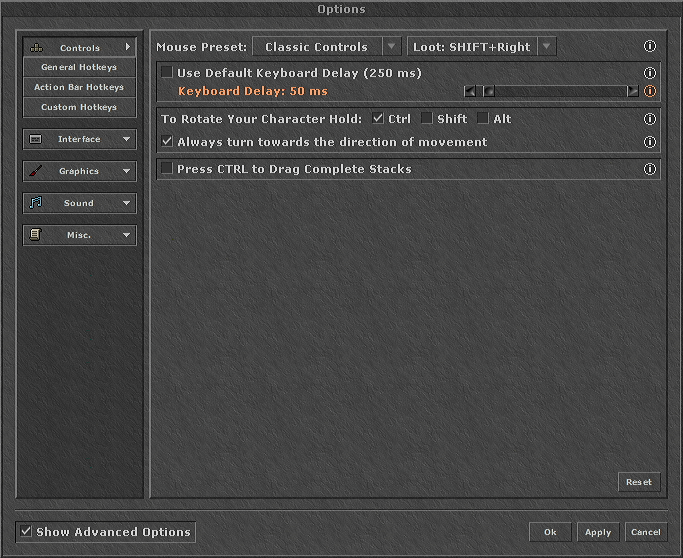
Step 2
Match the interface/gameplay options shown here.
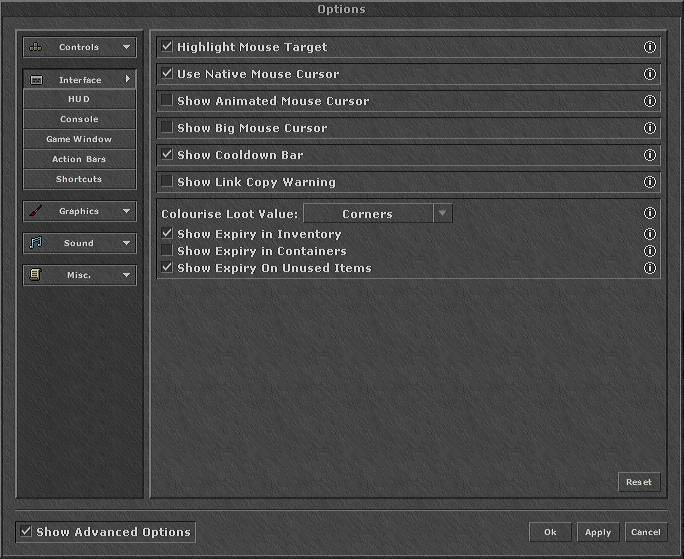
Step 3
Ensure your display/UI settings match for best results.
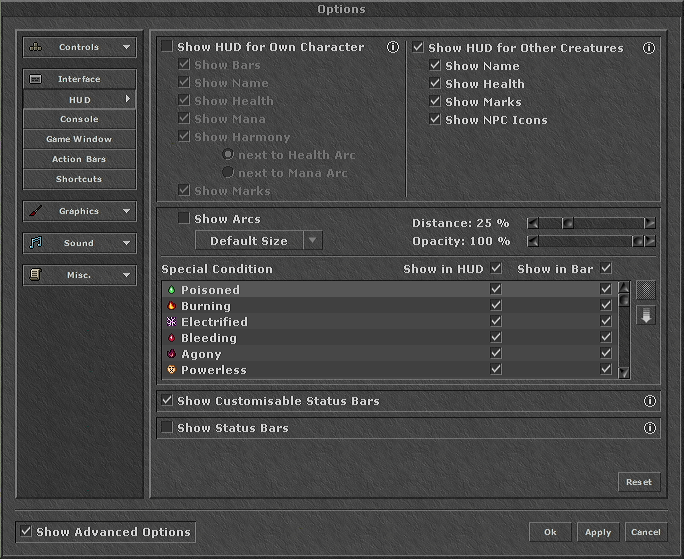
Step 4
Configure loot/value colorization and other options used by the bot.
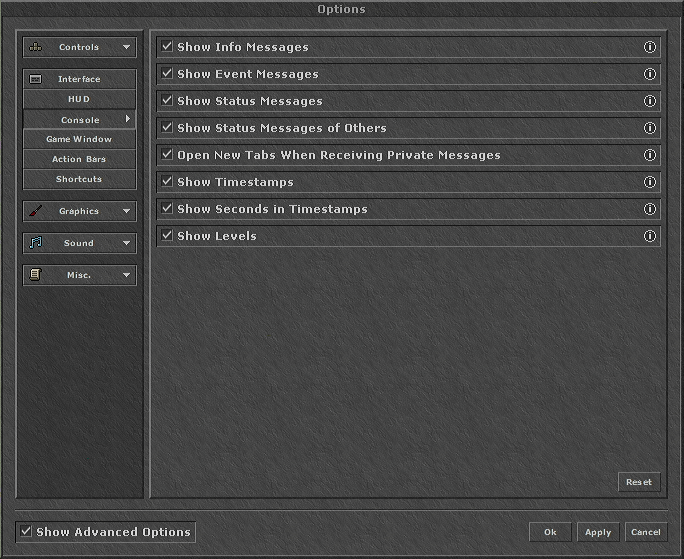
Step 5
Double-check everything and restart Tibia if needed.
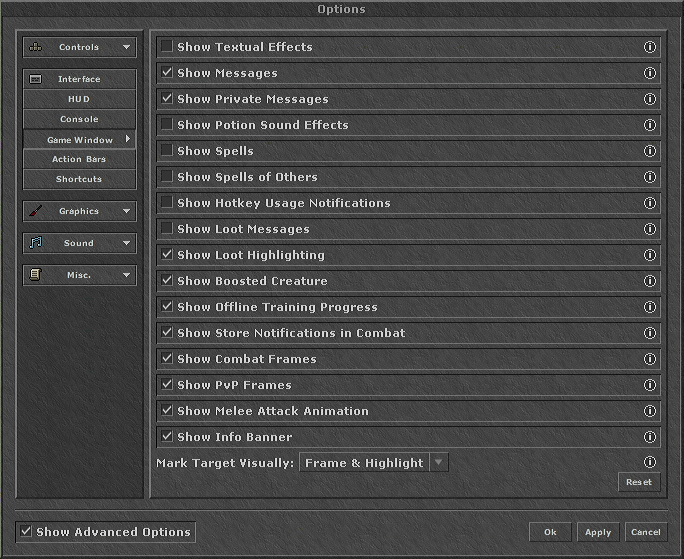
Step 6
Double-check everything and restart Tibia if needed.
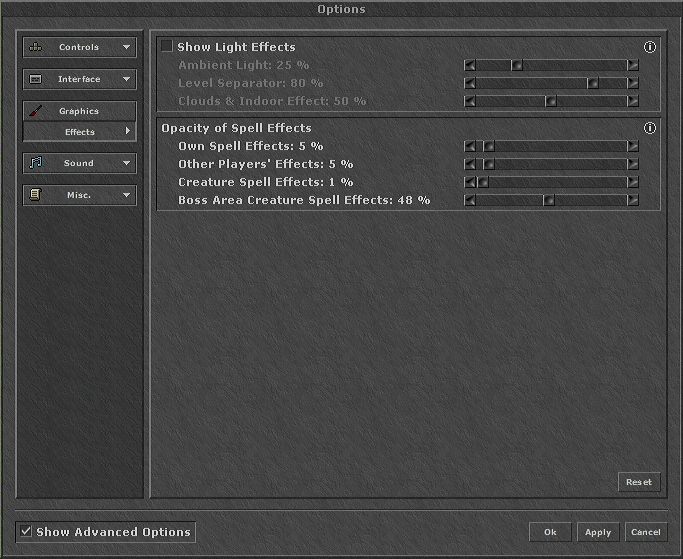
Step 7
Double-check everything and restart Tibia if needed.
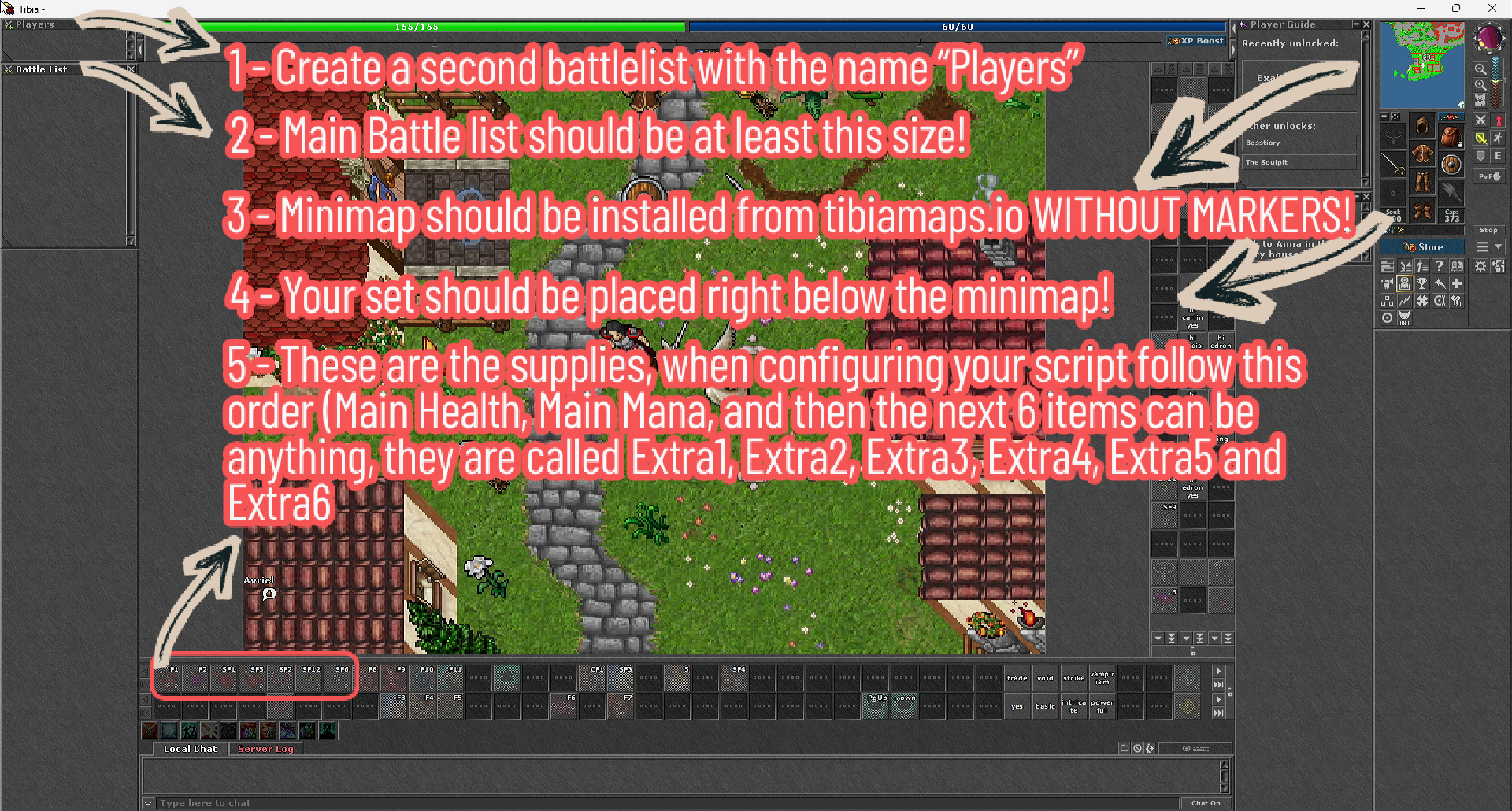
Tip: click any image to zoom.